

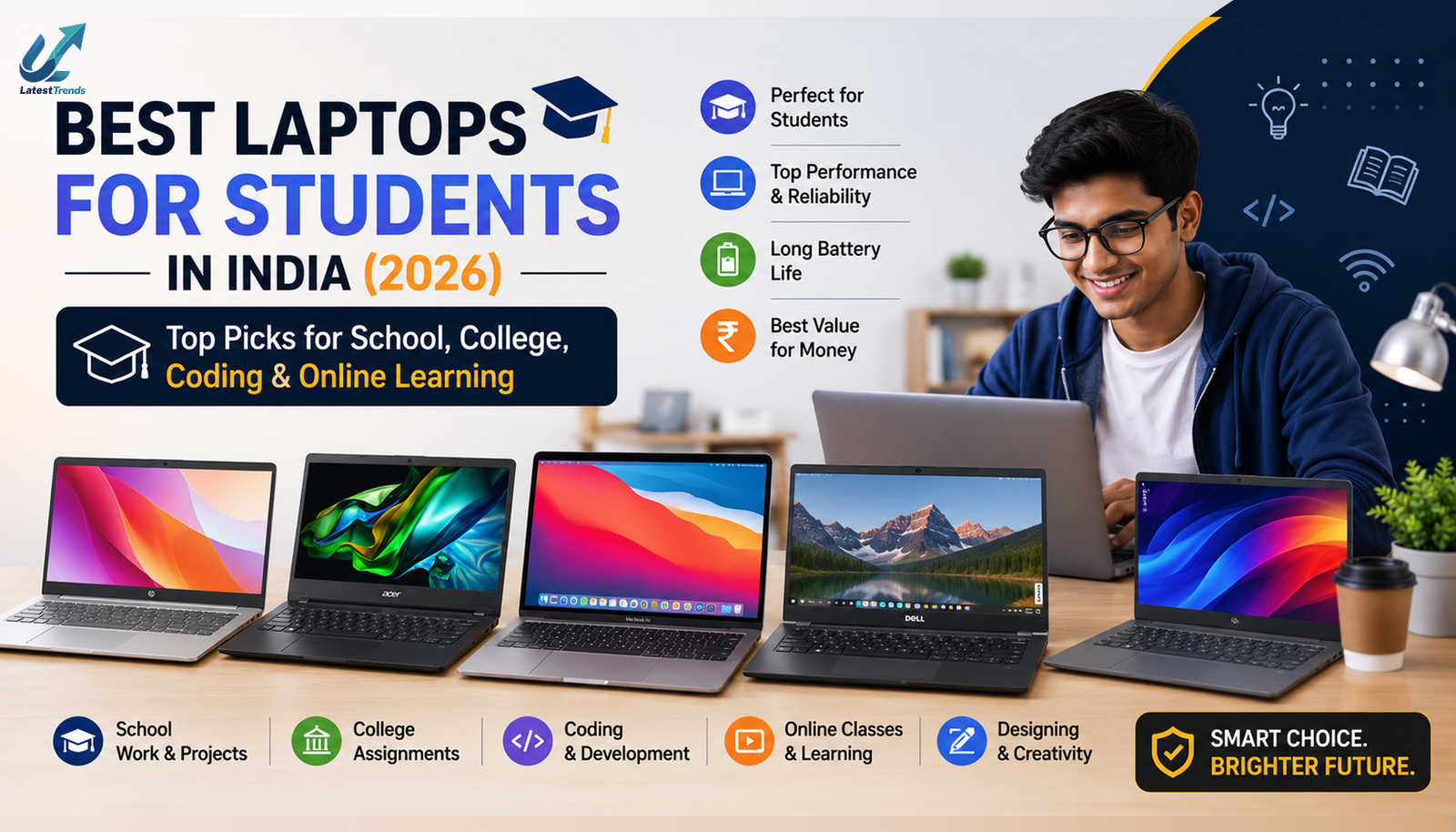
Choosing the right laptop has become one of the most important decisions for students. Whether you’re attending online classes, preparing presentations, writing assignments, learning programming, editing videos, designing graphics, or simply browsing the web, a reliable laptop can make your academic life much easier. If you’re planning to buy a laptop in 2026, this guide will help you compare the Best Laptops for Students in India based on performance, battery life, portability, display quality, software experience, and overall value for money.
Modern student laptops are faster, lighter, and more power-efficient than ever before. Thanks to the latest Intel Core Ultra, AMD Ryzen AI, Apple M-series processors, and AI-powered Windows PCs, students now have access to powerful machines across every budget.
Why Students Need a Good Laptop
A laptop is no longer just a luxury—it’s an essential study companion. Students use laptops for:
- Online classes
- Microsoft Office projects
- Coding and software development
- Graphic designing
- Video editing
- Research work
- AI tools like ChatGPT and Copilot
- Freelancing
- Digital marketing
- Content creation
- Watching lectures
- Online exams
Investing in a capable laptop ensures smooth multitasking, better productivity, and long-term reliability.
Top 10 Best Laptops for Students in India
1. Apple MacBook Air M4 – Overall Best Laptops for Students
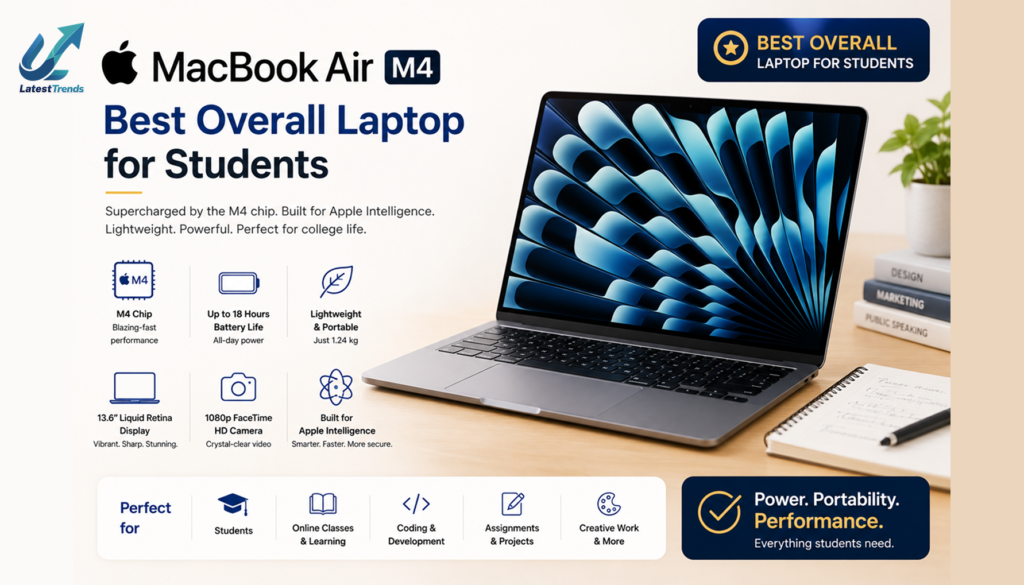
The MacBook Air M4 combines excellent performance, exceptional battery life, and a lightweight design, making it one of the best laptops for students.
Key Features
- Apple M4 Chip
- 13.6-inch Liquid Retina Display
- Up to 18 Hours Battery Life
- Silent Fanless Design
- Touch ID
- Wi-Fi 6E
- Fast SSD Storage
- Premium Aluminum Build
- Excellent Keyboard
- Ideal for Coding, Video Editing & Creative Work
Best For: College students, creators, developers, and professionals.
2. ASUS Vivobook S16 OLED
ASUS continues to impress with vibrant OLED displays and excellent value.
Highlights
- 16-inch OLED Display
- Intel Core Ultra Processor
- AI Engine
- Backlit Keyboard
- Fingerprint Sensor
- Fast Charging
- Lightweight Design
Perfect for multimedia, coding, and presentations.
3. Lenovo IdeaPad Slim 5
Lenovo IdeaPad Slim5 is one of the most balanced student laptops available.
Features
- AMD Ryzen AI Processor
- 16GB RAM
- 512GB SSD
- Full HD IPS Display
- Dolby Audio
- Long Battery Backup
- Rapid Charge
4. HP Pavilion Plus
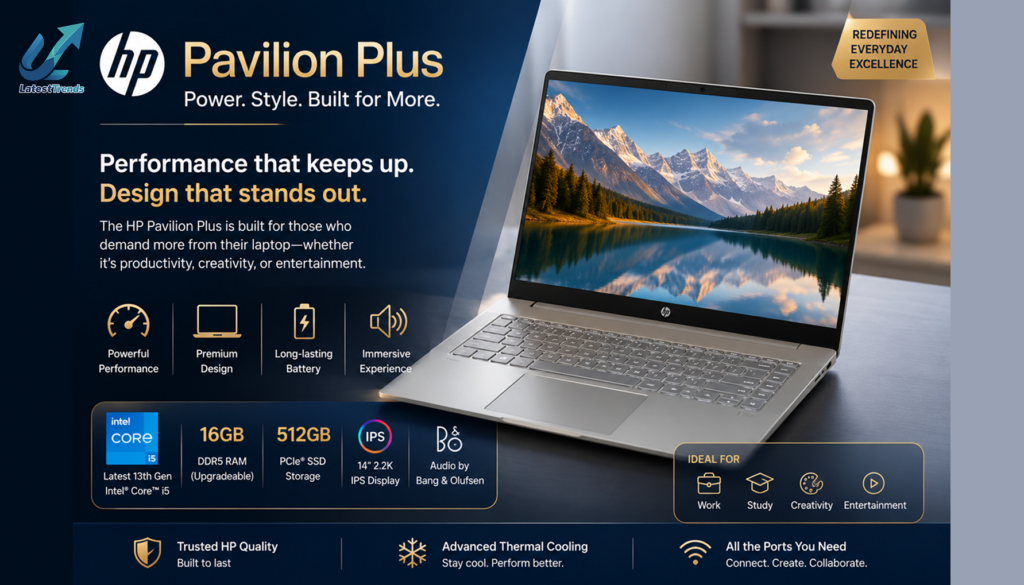
HP Pavilion Plus is a stylish laptop offering excellent performance for everyday academic tasks.
Why Buy?
- Intel Core Ultra Processor
- OLED Display
- Premium Build
- Fast SSD
- Excellent Webcam
- Wi-Fi 7 Support
5. Dell Inspiron 15
Dell’s Inspiron series remains a trusted choice for students due to its reliability and strong after-sales service.
Features
- Intel Core i5/i7
- Anti-Glare Display
- Comfortable Keyboard
- Long Battery Life
- ExpressCharge Technology
- Durable Build
6. Acer Swift Go AI
Acer Swift Go AI is ideal for students interested in AI applications and productivity.
Highlights
- Intel Core Ultra AI Processor
- OLED Display
- Thin & Lightweight
- Long Battery Life
- Windows Copilot Support
7. MSI Modern 15
MSI offers powerful hardware suitable for programming, engineering, and multitasking.
Features
- Intel Core Processor
- Fast SSD
- Premium Design
- Backlit Keyboard
- Lightweight Chassis
- Excellent Cooling
8. Samsung Galaxy Book5
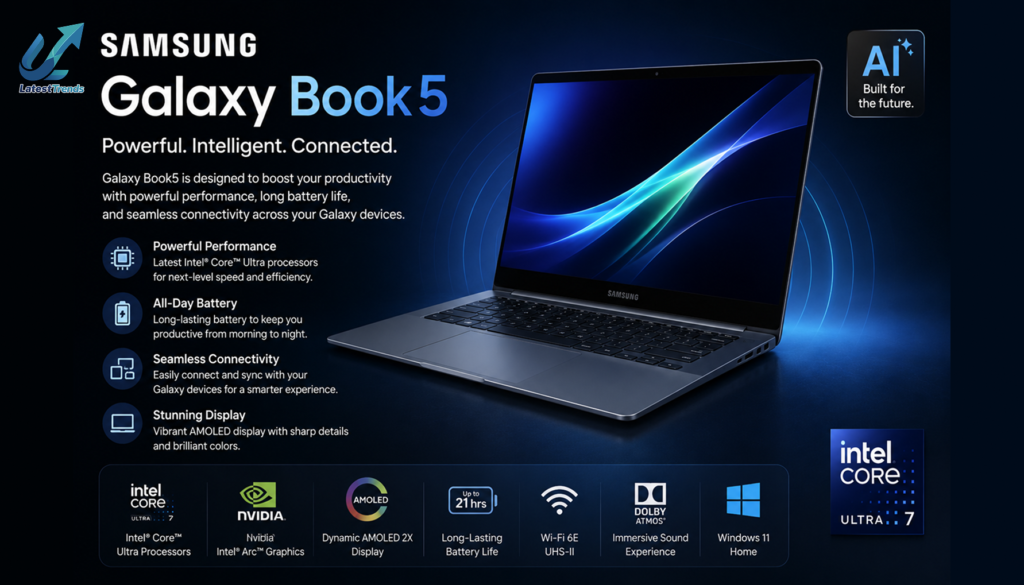
Samsung Galaxy Book5 is a premium Windows laptop with excellent portability and seamless Galaxy ecosystem integration.
Features
- AMOLED Display
- Intel Core Ultra Processor
- AI Features
- Lightweight Design
- Fast Charging
- Long Battery Life
9. ASUS TUF Gaming A15
Students who enjoy gaming or require extra graphics power for design and video editing will appreciate the ASUS TUF series.
Highlights
- AMD Ryzen Processor
- NVIDIA GeForce RTX Graphics
- 144Hz Display
- RGB Keyboard
- Military-Grade Durability
- Advanced Cooling
10. Lenovo LOQ
A budget-friendly performance laptop suitable for gaming, programming, and content creation.
Features
- Intel Core or AMD Ryzen Processor
- RTX Graphics
- High Refresh Rate Display
- Excellent Thermal Management
- Upgradeable RAM & Storage
How to Choose the Best Laptops for Students
Before purchasing, consider these important factors.
Processor
Choose the latest Intel Core Ultra, AMD Ryzen 7000/8000 AI series, or Apple M-series chips for better performance and battery efficiency.
RAM
- Minimum: 8GB
- Recommended: 16GB
- Ideal for Programming & Editing: 16GB–32GB
More RAM helps with multitasking and running demanding applications.
Storage
Opt for an SSD instead of a traditional hard drive.
- 512GB SSD – Recommended
- 1TB SSD – Ideal for creators and engineering students
SSD storage significantly improves boot times and application loading speeds.
Display
A Full HD (1920 × 1080) display is the minimum recommendation. OLED displays offer richer colors and are particularly beneficial for media consumption and creative work.
Battery Life
Students often spend long hours in classrooms or libraries, so choose a laptop that offers at least 8–12 hours of real-world battery life.
Weight
For frequent travel between classes, look for laptops weighing less than 1.6 kg to ensure easy portability.
Best Laptops for Students Category
School Students
- Lenovo IdeaPad Slim
- ASUS Vivobook
- HP 15
College Students
- MacBook Air M4
- Dell Inspiron
- ASUS Vivobook OLED
Engineering Students
- Lenovo LOQ
- ASUS TUF Gaming
- MSI Modern
Computer Science Students
- MacBook Air
- Lenovo IdeaPad Slim
- Acer Swift Go AI
Graphic Design & Video Editing Students
- MacBook Air M4
- ASUS Vivobook OLED
- ASUS TUF Gaming
- Lenovo LOQ
Which Laptop Is Best for Programming?
Programming students should prioritize:
- Intel Core Ultra or AMD Ryzen AI processor
- Minimum 16GB RAM
- 512GB SSD
- Comfortable keyboard
- Long battery life
These specifications provide a smooth experience for coding, compiling, and running development tools.
Which Laptop Is Best for Online Classes?
For online learning, choose a laptop with:
- HD or Full HD webcam
- Good microphone
- Clear speakers
- Stable Wi-Fi
- Lightweight design
- Long battery life
These features make attending virtual classes and meetings more convenient.
Final Verdict
The Best Laptops for students depend on your academic needs and budget. The Apple MacBook Air M4 stands out for its outstanding battery life, premium build quality, and exceptional performance. Windows users can choose from excellent options like the ASUS Vivobook, Lenovo IdeaPad, Dell Inspiron, HP Pavilion Plus, and Acer Swift Go AI.
Before making your purchase, compare processor performance, RAM, storage, display quality, battery life, and after-sales service. A well-chosen laptop can support your studies for several years while helping you stay productive and future-ready.
Frequently Asked Questions (FAQs)
Which is the Best Laptops for Students in India?
Popular choices include the Apple MacBook Air M4, ASUS Vivobook S16 OLED, Lenovo IdeaPad Slim 5, HP Pavilion Plus, and Dell Inspiron 15.
How much RAM is enough for students?
For most students, 16GB RAM is recommended. It ensures smooth multitasking and supports demanding applications.
Is an SSD better than an HDD?
Yes. SSDs offer much faster boot times, quicker file transfers, and improved overall system responsiveness.
Which laptop is best for engineering students?
Laptops with Intel Core Ultra or AMD Ryzen processors, dedicated graphics (if required), 16GB RAM, and SSD storage are ideal for engineering software and simulations.
Should students buy Windows or macOS?
Windows laptops offer wider software compatibility and more budget options, while macOS provides excellent performance, battery life, and integration for users already invested in the Apple ecosystem.






One Comment