

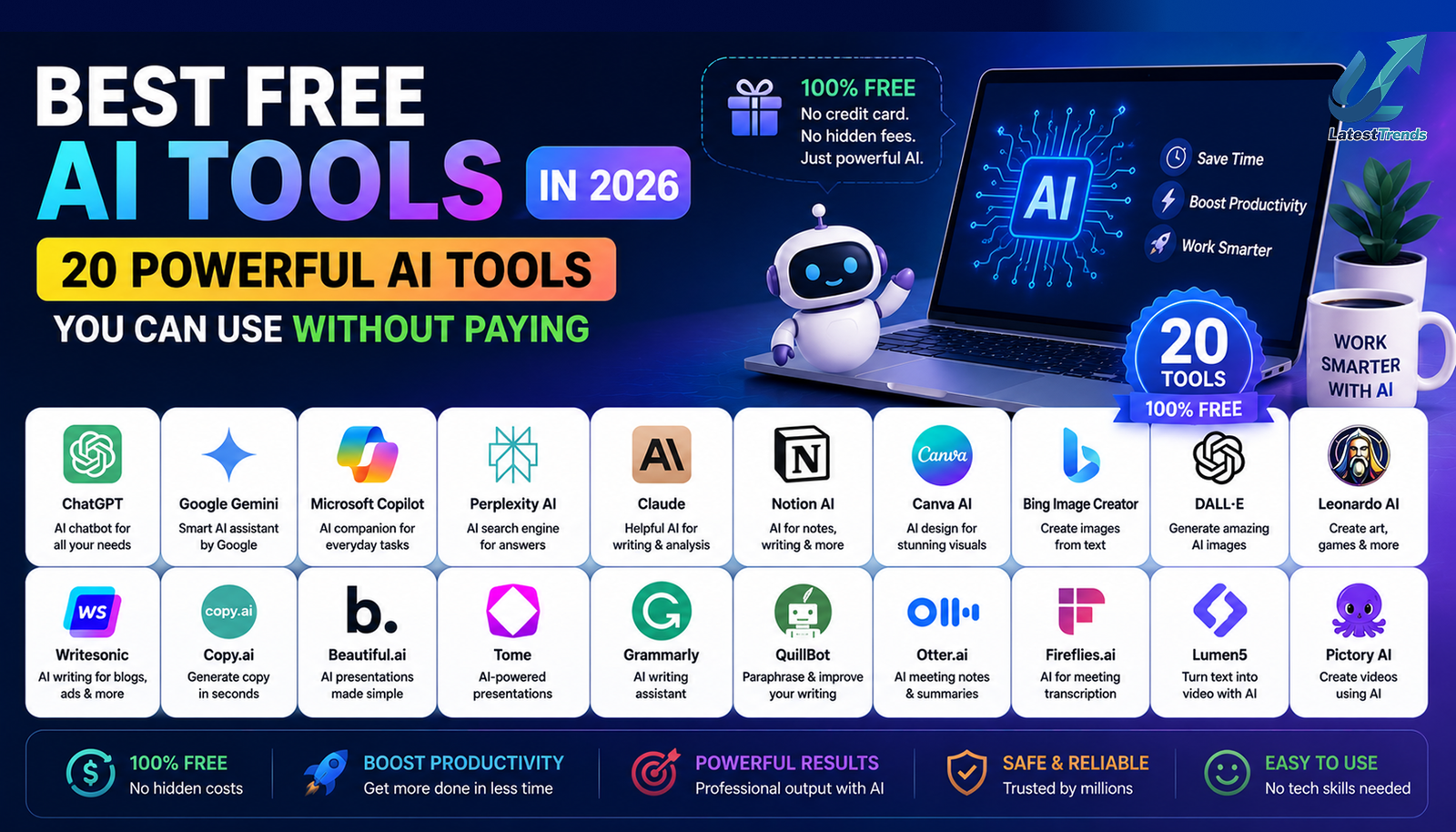
Artificial Intelligence is no longer limited to large technology companies or software engineers. In 2026, Free AI Tools has become a practical tool that anyone can use to work faster, learn more efficiently, and solve everyday problems.
Whether you’re a student preparing for exams, a blogger writing articles, a freelancer managing clients, an entrepreneur growing a business, or a professional looking to improve productivity, there are now hundreds of AI tools available to help you.
The biggest advantage is that many of these platforms offer generous free plans, allowing users to experience powerful AI features without paying for expensive software.
In this comprehensive guide, we’ve selected the best free AI tools in 2026 based on usability, features, reliability, and real-world value. These tools can help you write content, generate images, create videos, automate repetitive tasks, organize projects, conduct research, and much more.
Why Are Free AI Tools So Popular?
Businesses, students, and creators are constantly looking for ways to save time while maintaining high-quality work.
AI tools automate repetitive tasks, improve productivity, and reduce costs. Instead of spending hours creating documents, editing images, or researching information, users can complete many of these tasks in just a few minutes.
Free AI tools also lower the barrier to entry, making advanced technology available to startups, freelancers, educators, and individuals who may not have large budgets.
1. ChatGPT – Best Overall Free AI Assistant
Best For
- Writing
- Research
- Coding
- Learning
- Brainstorming
- Business tasks
ChatGPT continues to be one of the most versatile AI assistants available. It helps users write blog posts, answer questions, generate ideas, explain complex topics, draft emails, create business documents, and even assist with programming.
Its conversational interface makes it accessible to beginners while offering enough flexibility for professionals and businesses.
2. Google Gemini – Best for Research
Google Gemini is ideal for users who rely on Google Workspace. It can summarize documents, answer research questions, assist with writing, and integrate with Google’s productivity ecosystem.
Perfect for students, researchers, and professionals.
3. Claude – Best for Long Documents
Claude is well known for its ability to process lengthy documents and maintain context during long conversations.
It is particularly useful for writers, analysts, researchers, and legal professionals.
4. Microsoft Copilot – Best for Office Productivity
Microsoft Copilot helps users create presentations, summarize meetings, analyze spreadsheets, draft emails, and automate tasks across Microsoft 365 applications.
5. Perplexity AI – Best AI Search Tool
Perplexity AI combines conversational AI with search capabilities and often provides source-backed answers, making it useful for research, fact-checking, and learning.
6. Canva AI – Best Free AI Design Tool
Canva AI enables users to create:
- Social media graphics
- Presentations
- Posters
- Logos
- Infographics
- Marketing materials
Its beginner-friendly interface makes it one of the most popular AI-powered design platforms.
7. Grammarly – Best AI Writing Assistant
Grammarly improves grammar, spelling, clarity, tone, and readability.
Students, professionals, bloggers, and business owners use Grammarly to ensure their writing is polished and professional.
8. Notion AI – Best Productivity Workspace
Notion AI combines note-taking, task management, documentation, and AI-powered writing assistance into a single platform.
It is especially valuable for teams, students, and startups managing multiple projects.
9. GitHub Copilot – Best AI Coding Assistant
GitHub Copilot helps developers write code faster by suggesting functions, completing code snippets, and explaining programming concepts.
Ideal for software engineers and coding students.
10. Adobe Firefly – Best AI Image Creator
Adobe Firefly helps users generate creative images, edit photos, create text effects, and design marketing materials using AI.
11. Leonardo AI – Best for Digital Art
Leonardo AI is popular among game developers, artists, and designers for creating concept art, characters, environments, and illustrations.
12. Gamma – Best AI Presentation Tool
Gamma can generate professional presentations, reports, and visual documents from a simple prompt, saving hours of manual design work.
13. Otter.ai – Best AI Meeting Assistant
Otter.ai automatically records, transcribes, and summarizes meetings, interviews, and lectures.
Perfect for students, journalists, and business teams.
14. ElevenLabs – Best AI Voice Generator
ElevenLabs creates natural-sounding AI voices for podcasts, videos, audiobooks, training materials, and accessibility projects.
15. Runway – Best AI Video Editing Tool
Runway simplifies video editing with AI-powered features such as background removal, object replacement, subtitles, and visual effects.
16. Copy.ai – Best for Marketing Copy
Copy.ai specializes in creating advertisements, product descriptions, emails, and promotional content for businesses.
17. Jasper AI – Best for Content Marketing
Jasper AI is designed for businesses and marketing teams producing blogs, landing pages, email campaigns, and advertising copy.
18. Writesonic – Best for SEO Content
Writesonic assists with long-form articles, website copy, and SEO-optimized content creation.
19. DeepSeek – Best Budget-Friendly AI Assistant
DeepSeek has become popular for reasoning, coding assistance, document analysis, and general AI conversations.
20. Zapier AI – Best Workflow Automation
Zapier connects thousands of apps and automates repetitive workflows, helping businesses save time and reduce manual work.
Comparison Table
| AI Tool | Best For | Free Plan | Ideal Users |
|---|---|---|---|
| ChatGPT | Overall AI Assistant | ✅ | Everyone |
| Google Gemini | Research | ✅ | Students & Professionals |
| Claude | Long Documents | ✅ | Writers |
| Microsoft Copilot | Productivity | Limited | Office Users |
| Perplexity AI | Research | ✅ | Researchers |
| Canva AI | Design | ✅ | Creators |
| Grammarly | Writing | ✅ | Students & Professionals |
| Notion AI | Productivity | Limited | Teams |
| GitHub Copilot | Coding | Trial | Developers |
| Adobe Firefly | Images | ✅ | Designers |
| Leonardo AI | Digital Art | ✅ | Artists |
| Gamma | Presentations | ✅ | Business Users |
| Otter.ai | Transcription | ✅ | Students |
| ElevenLabs | Voice AI | Limited | Creators |
| Runway | Video Editing | Trial | Video Editors |
| Copy.ai | Marketing | ✅ | Businesses |
| Jasper AI | Content | Trial | Marketers |
| Writesonic | SEO | Trial | Bloggers |
| DeepSeek | AI Assistant | ✅ | Everyone |
| Zapier AI | Automation | ✅ | Businesses |
How to Choose the Best Free AI Tool
Before selecting an AI platform, think about your primary goal.
- Need help writing articles? ChatGPT, Grammarly, and Writesonic are excellent choices.
- Looking to create graphics? Canva AI and Adobe Firefly are ideal.
- Want reliable research? Perplexity AI and Google Gemini stand out.
- Managing projects? Notion AI can help organize your work.
- Editing videos? Runway offers powerful AI-assisted editing tools.
Starting with one or two tools allows you to build an efficient workflow without becoming overwhelmed.
Tips for Getting the Most Out of AI Tools
Using AI effectively is about combining technology with human creativity.
To maximize results:
- Write detailed prompts with clear objectives.
- Review AI-generated content before publishing.
- Add your own experiences and expertise.
- Fact-check important information.
- Use AI to enhance productivity rather than replace original thinking.
- Experiment with different tools to find the ones that best fit your workflow.
Final Thoughts
The availability of free AI tools has transformed the way people work, learn, and create. Whether your goal is to write better content, design eye-catching graphics, automate business tasks, conduct research, or improve productivity, there is an AI solution that fits your needs.
For most users, a combination of ChatGPT, Google Gemini, Canva AI, Perplexity AI, Grammarly, and Notion AI provides an excellent foundation for everyday work. As your requirements grow, you can explore specialized tools for coding, video editing, marketing, or automation.
AI is most effective when it complements human creativity. By using these tools thoughtfully, you can save time, improve the quality of your work, and stay competitive in an increasingly digital world.
Frequently Asked Questions (FAQ)
What are the best free AI tools in 2026?
Some of the best free AI tools include ChatGPT, Google Gemini, Claude, Perplexity AI, Canva AI, Grammarly, Notion AI, Adobe Firefly, Leonardo AI, and DeepSeek.
Are free AI tools good enough for professional work?
Yes. Many free plans provide powerful features that are suitable for blogging, marketing, education, design, research, and small business tasks. Premium plans generally offer higher usage limits and advanced capabilities.
Which free AI tool is best for students?
ChatGPT, Google Gemini, Perplexity AI, Grammarly, Otter.ai, and Notion AI are among the best options for studying, research, note-taking, and academic writing.
Which AI tool is best for content creators?
Content creators often use ChatGPT for writing, Canva AI for graphics, Runway for video editing, ElevenLabs for voice generation, and Grammarly for polishing content.
Can AI tools improve productivity?
Absolutely. AI tools can automate repetitive tasks, speed up research, assist with writing, organize projects, and simplify creative work, allowing users to focus on higher-value activities.






2 Comments